
Evaluating WordPress Migration Services: What Actually Matters
At first glance, migrating a WordPress site seems straightforward: transfer the files, move the database, and update the domain settings. In reality, it’s rarely that simple. This common misconception is one of the main reasons migrations run into problems, leaving many clients paying not only for the migration itself but also for the additional work needed to resolve issues afterward.
The criteria that follow provide a practical way to assess any migration service before you engage them. Not based on their pitch, their reviews, or their price, but based on how they answer the questions that actually matter.
Already wondering whether a professional migration is worth it at all? Read: “Benefits of WordPress Migration Services: Why DIY Migration Costs You More “ a deep dive into the real-world cost of failed migrations, data corruption risks, and why the SEO damage from a botched move can outlast the fix itself.
The Five Criteria That Actually Matter
Through years of handling client migrations and resolving issues caused by poorly executed transfers, we’ve learned that evaluating a migration provider requires looking at five critical factors. Consistent performance across every critical area is essential. When one area falls behind, the resulting impact can be substantial.
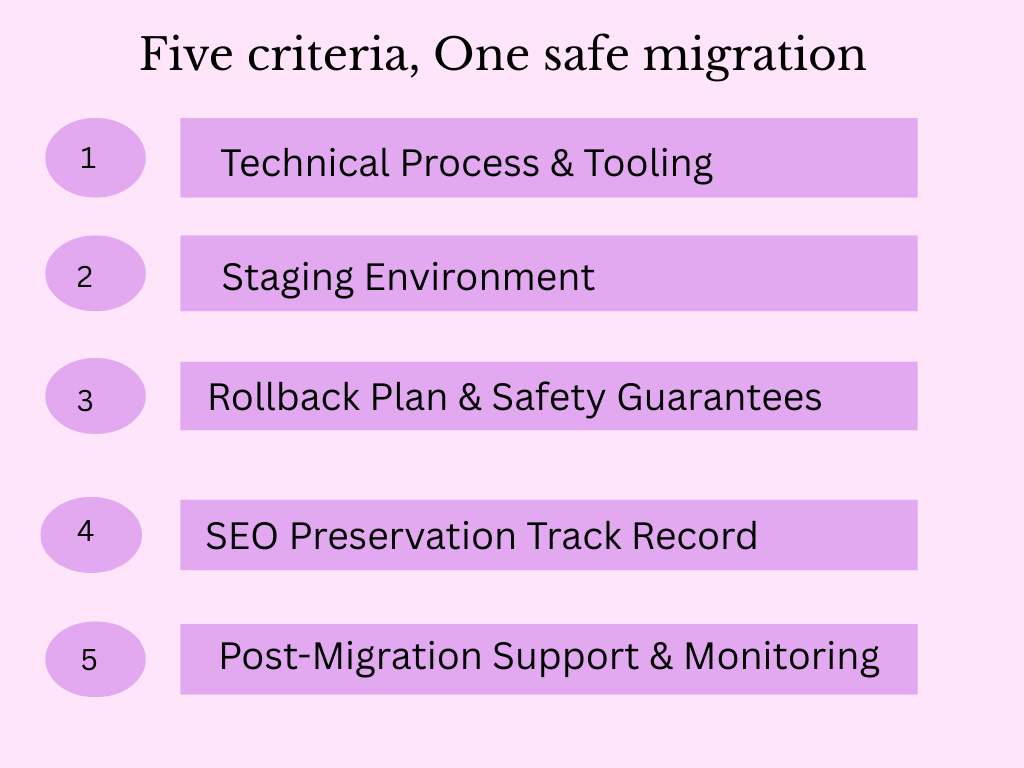
1. Technical Process & Tooling
Ask any migration provider to walk you through their process step by step. A provider with genuine expertise will answer without hesitation, describing their audit phase, staging setup, go-live procedure, and post-migration checks. Vague reassurances (“we’ve done hundreds of these, don’t worry”) are not an answer.
Ask specifically what tools they use and why. Plugin-based migrations using tools like Duplicator or All-in-One WP Migration are legitimate for straightforward host-to-host moves, but they carry known limitations, incomplete database cleanup, serialisation issues with certain data types, and media handling gaps. For complex migrations, platform-to-platform moves, builder conversions, plugin-based approaches are frequently insufficient. Know what you are paying for.
2. Staging Environment
No professional migration should ever be performed directly on a live site. A staging environment allows the complete migration to be executed, verified, and approved before any change is visible to real users or search engines. It is where layout issues, broken media, missing redirects, and configuration problems are caught and fixed.
Going live should be the final, controlled step in a process that has already been completed and verified not the moment of truth where problems are discovered for the first time. Ask directly: is staging included in the quote, or is it an add-on? The answer tells you a great deal about how seriously the provider takes the work.
If a provider does not use a staging environment as a standard part of their process, that is an immediate disqualifier, regardless of price or track record.
3. Rollback Plan & Safety Guarantees
Things go wrong in migrations. A provider who claims otherwise either lacks experience or is not being honest with you. What separates a professional service from an amateur one is not the absence of problems, it is the ability to recover from them quickly and completely.
Before committing, ask directly: what is your rollback plan if something goes wrong after go-live? The answer should be specific. How the original site state is preserved, how quickly they can revert, and what triggers the decision to roll back versus pushing forward with fixes.
“We’ll fix it” is not a rollback plan. A documented procedure with preserved backups and a defined decision point is.
How we handle it: Our migration process is built into an internal plugin, Midnay Migration Helper. It preserves original data throughout the process, and allows individual pages or the entire site to be reverted without data loss. That is the standard a professional service should be able to meet. So ask any provider you’re evaluating to describe their equivalent.
4. SEO Preservation Track Record
SEO is where migration damage is most lasting and most expensive. Rankings that drop after a botched migration do not recover overnight, the recovery is measured in weeks or months, not days.
Ask every provider these questions specifically
- How do you handle redirect mapping for URLs that change during the migration?
- How do you verify that SEO metadata – titles, descriptions, canonical tags are transferred correctly?
- Do you run a pre-migration crawl and compare it against a post-migration crawl before go-live?
- How do you handle structured data and schema markup?
The absence of a pre/post crawl comparison is a significant gap. It is the only reliable way to catch SEO regressions before they affect live rankings and it is also the first thing cheaper providers cut to hit a lower price point.
5. Post-Migration Support & Monitoring
The migration is not complete at go-live. The days and weeks following are when residual issues surface crawl errors not caught in QA, images that render incorrectly on specific devices, redirect chains that need tidying, plugin conflicts that only appear under real traffic.
Ask what post-migration support is included and for how long. A provider who considers the job done the moment the site goes live is leaving you to discover and manage these issues alone.
A professional service includes a defined post-launch monitoring window, a clear process for reporting issues, and accountability for the work delivered.
What Cheaper Quotes Are Really Leaving Out
When clients compare professional migration quotes against cheaper alternatives, the difference almost always comes down to what is included rather than how well the work is done. A lower quote that excludes a staging environment, a pre/post crawl comparison, and a defined rollback plan is not a cheaper version of the same service. It is a fundamentally different service, one that transfers the risk from the provider to the client.
Three things routinely absent from low-cost migration proposals:
- Database cleanup after plugin-based migrations. Builder data, post meta, and plugin-specific tables frequently remain, adding dead weight and creating conflicts for future developers.
- SEO verification. Pre and post-migration crawl comparisons take time and tooling and they are the first thing removed when a provider is trying to hit a lower number.
- Post-migration monitoring. For most providers, responsibility ends the moment the site goes live. What surfaces in the weeks after is the client’s problem, unless explicitly agreed otherwise.
How we approach this
As a reference point, our agency uses a two-stage pricing model: a pre-migration audit first, so the full migration quote is based on what we actually find rather than assumptions that unravel mid-project. Audit, staging, SEO verification, database cleanup, and a defined post-launch window are all scoped before work begins. It is one approach, but the principle holds regardless of provider: scope should follow discovery, not precede it.
What Most Providers Don’t Tell You
Beyond what is excluded from quotes, there are practices that cheaper providers actively avoid disclosing, things that affect the quality and longevity of the migration but are invisible to the client until something breaks.
- Most providers do not test on staging before go-live. It sounds unbelievable, but it is common. Providers working quickly and cheaply frequently migrate directly to the live environment, run a visual check, and consider the job done. The staging step is the most time-consuming part of a professional migration and the most valuable. It is also the easiest to skip without the client ever knowing.
- SEO verification is skipped, not just deprioritised. A pre and post-migration crawl comparison requires tooling, expertise, and careful analysis, none of which is built into a cut-price quote. The client has no way of knowing it was omitted until rankings shift weeks later and the provider is long gone.
- Plugin-based migrations leave the database dirtier than it was before. The original builder data, orphaned post meta, and plugin-specific tables are not removed, they are simply left behind. This is rarely mentioned because fixing it adds time to the quote and explaining it requires a level of technical transparency most cheap providers prefer to avoid.
The Complete Question List To Use Before You Sign
Use these questions with every provider you are evaluating. Clear, specific answers signal expertise. Deflection, vagueness, or frustration at being asked signals something else.
ABOUT PROCESS
- What tools do you use and why are they appropriate for this migration?
- Walk me through your migration process from start to finish.
- Do you use a staging environment as standard?
ABOUT SAFETY
- What is your rollback plan if something goes wrong?
- How is the original site preserved during the migration?
- How quickly can you revert if needed?
ABOUT SEO
- How do you handle redirect mapping?
- Do you run a pre and post-migration crawl comparison?
- How do you verify SEO metadata has transferred correctly?
ABOUT SUPPORT
- What post-migration support is included?
- For how long after go-live are you available to resolve issues?
- What is your process if a problem surfaces two weeks after launch?
ABOUT PRICING
- What exactly is included in this quote?
- What would cause the price to change?
- Is staging included, or is it an additional cost?
The Bottom Line
The quality of a WordPress migration service is reflected in the strength of its process. Detailed planning, documented contingencies, and continued accountability after go-live, are all indicators of a provider capable of delivering a reliable migration.
The questions in this guide give you the framework to make that evaluation confidently. A provider who answers all of them clearly and without defensiveness is a provider who knows what they are doing. Use them every time.
The most important question is what the quote actually includes. The real comparison should focus on scope and deliverables rather than the final numbers.

Leave a
Comment.